
Why made items matter
Sauces, spices, pickled onions, doughs and drink mixes are made items. You do not buy them. You make them from other ingredients. Their cost comes from those ingredients, and it only reaches your dish cost after the item has been made in Ordara. Until then a made item costs ₦0, and every dish that uses it looks cheaper than it really is.
This guide shows the order that works: fix the recipes, price the bought ingredients, make the items, then check the dish costs.
Step 1: Check the recipe quantities
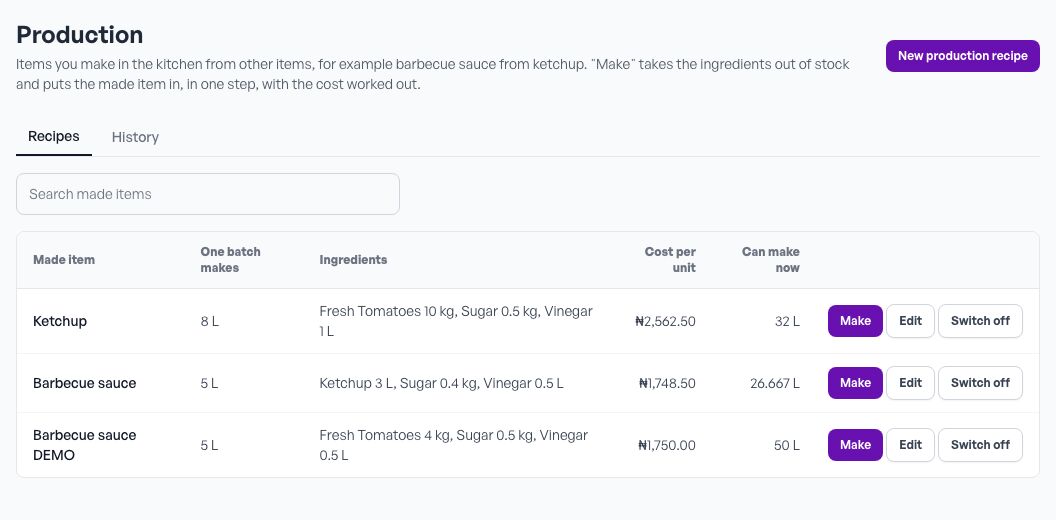
- Open Inventory, then Production. The Recipes tab lists every made item.
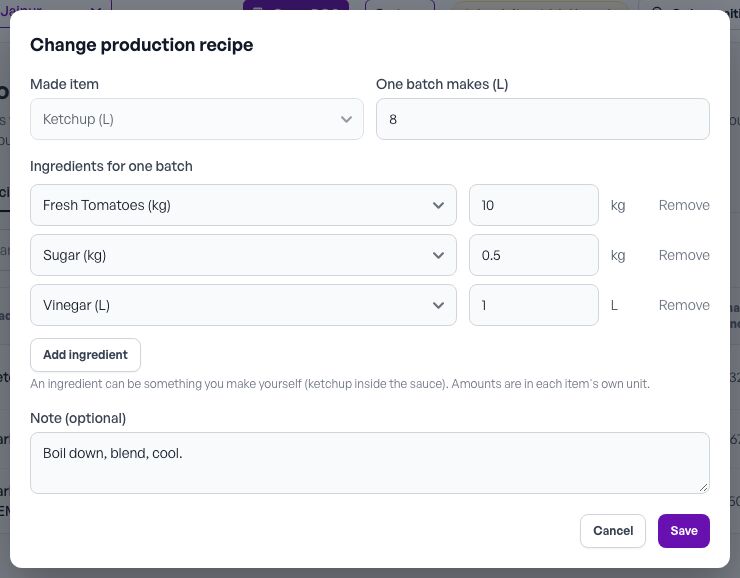
- Type the name in Search made items and select Edit.
- Check One batch makes. The unit is shown next to it, for example g, L or ml.
- Check the Amount on each ingredient line. The amount is in that ingredient’s own unit.
- Select Save.
If a quantity is unclear, ask the person who cooks it before you save. A wrong quantity gives a wrong cost that you then have to undo.
Step 2: Put a price on every bought ingredient
A made item can only be costed when every bought ingredient in it has a price. Choose one way:
Opening stock (best when you start)
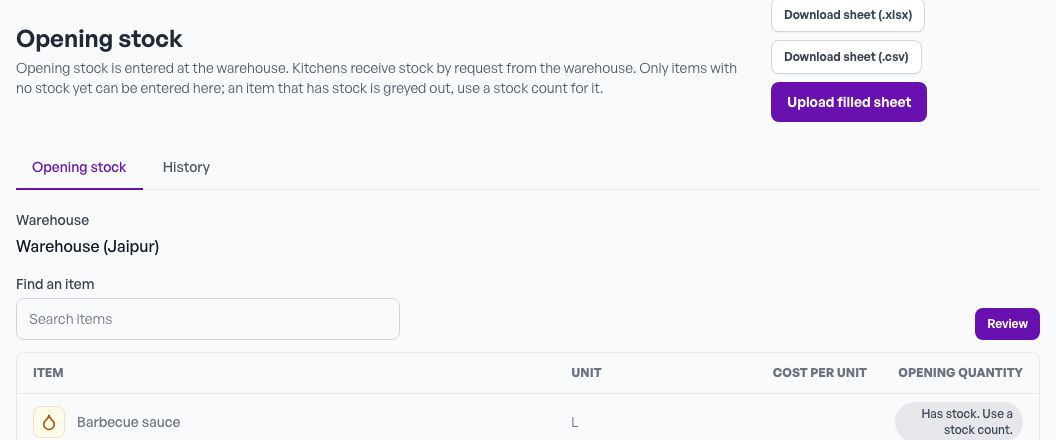
- Open Inventory, then Opening stock.
- Find the item in Find an item.
- Type the quantity you really have and the Cost per unit.
- Select Review, check the lines, then Confirm opening balance.
This needs the Set opening stock permission, which is usually the owner’s.
Stock in (when you buy more)
- Open Inventory, then Stock movements.
- Select Add stock entry and choose the type Stock in.
- Type the quantity and the unit price you paid.
Price is per the item’s own unit: per kg, per litre, per g or per ml. Check the unit before you type.
Step 3: Make the made items, inner ones first
Some made items use another made item. Make the inner item first, then the one that uses it. For example, make brown sugar syrup before the ketchup that uses it, and the ketchup before the barbecue sauce that uses the ketchup.
- Open Inventory, then Production, then the Recipes tab.
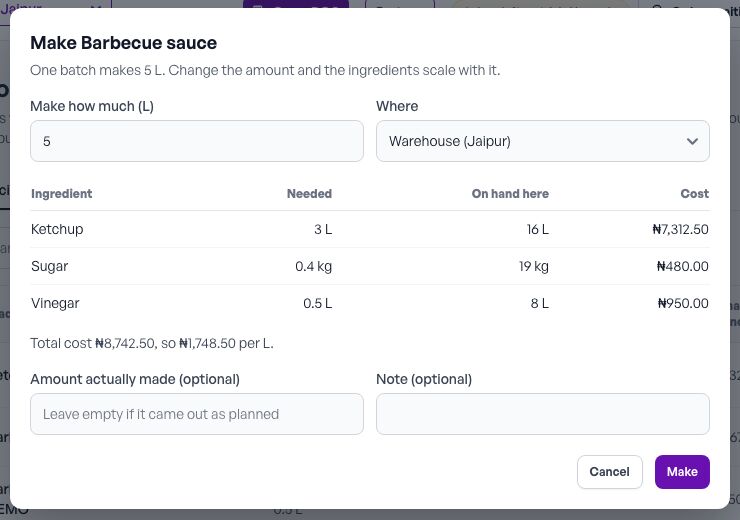
- Select Make next to the item.
- Make how much: keep the batch size, or type what you are really making.
- Where: choose the warehouse or kitchen that holds the ingredients and should hold the made item.
- Optional: fill in Amount actually made if the real result differs from the plan.
- Select Make.
If the screen says There is not enough of followed by an ingredient, that place does not hold enough of it. Add the stock (Step 2) and try again.
Step 4: Check it worked
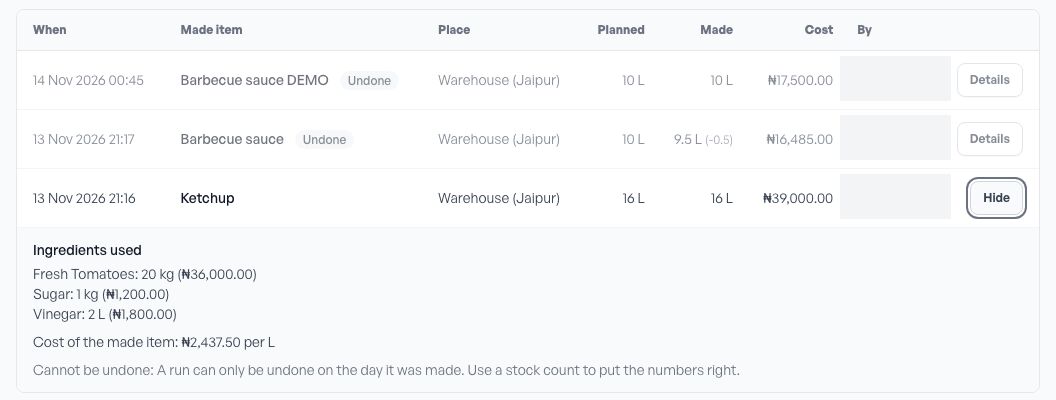
- Open Production, then the History tab, and select Details on a run. It shows Cost of the made item per unit. It must not be ₦0.
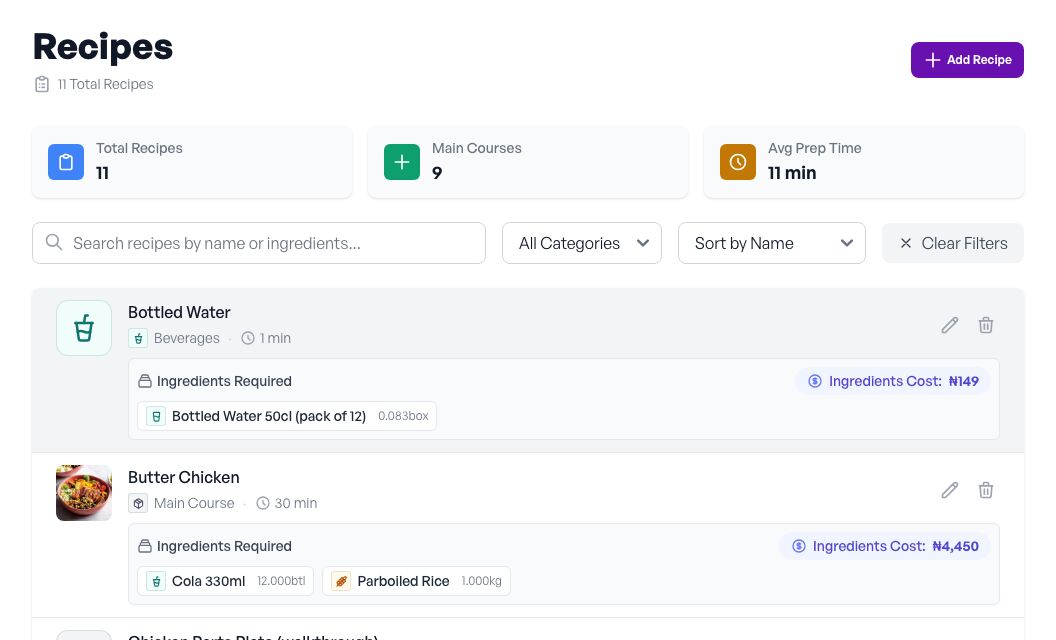
- Open Inventory, then Recipes, and open a dish that uses the item. Ingredients Cost should now be higher than before.
- Compare the cost with the selling price. If the cost is more than about 40 percent of the price, check the quantities again.
Fix a mistake
Open Production, then History, pick the run and select Undo. The ingredients go back and the made item is taken out again. Nothing is deleted. Make it again with the right numbers.
- Do not select Delete on a recipe that was made. Use Switch off.
- Do not type a price on a made item by hand. Make it, and Ordara writes the cost itself.
- Do not make items before Steps 1 and 2.
Frequently asked questions
Why is my dish cost too low?
Made items such as sauces and doughs cost nothing until they have been made in Production. Each one takes its cost from its ingredients when you make it, and the dish cost includes it from then on.
Why does Make say there is not enough of an ingredient?
The place you chose (a warehouse or a kitchen) does not hold enough of that ingredient. Add the stock first, then make the item.
Can I undo a mistake?
Yes. Open Production, then History, pick the run and select Undo. The ingredients go back and the made item is taken out again. Nothing is deleted.
Can I delete a recipe I already made?
No. Switch it off instead. A recipe that has been made stays in your history.